
How to Register for MJ77 in Pakistan
Open the MJ77 lobby and choose Register. The Pakistan form uses a mobile number and shows Password registration and Code register.
Open the registration form
Use a number you can access and check that the Pakistan form shows +92. Before submitting, review the User Agreement and the form’s over-18 declaration.
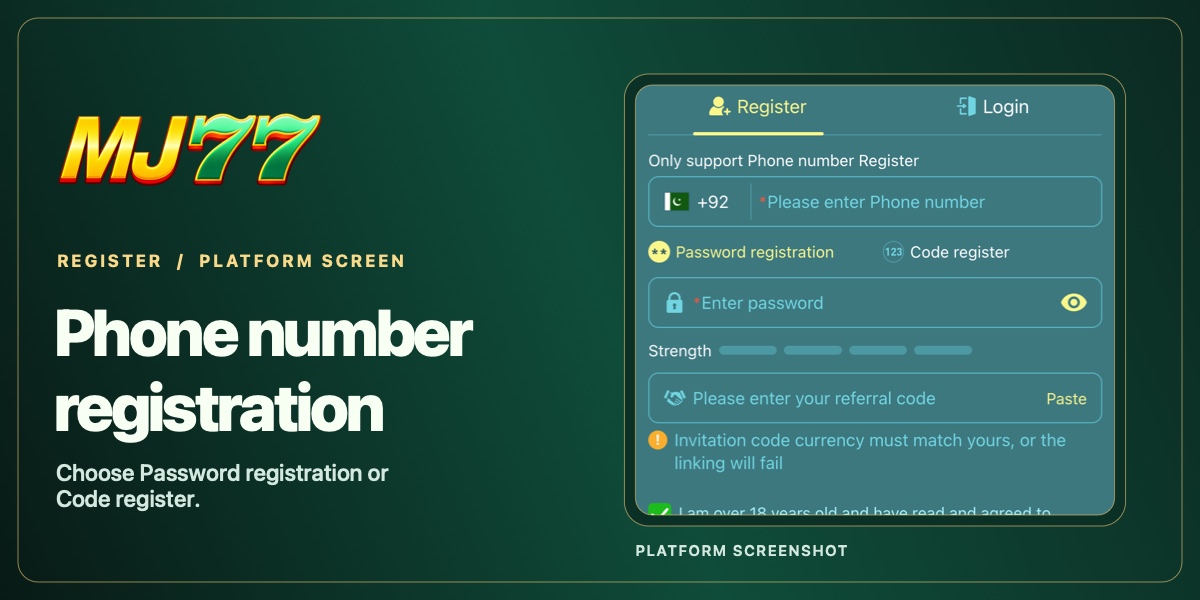
- Use a phone number you can access.
- Read the User Agreement and check the form’s over-18 declaration before submitting.
Choose the registration option shown
Choose Password registration or Code register and follow the fields shown for that route. Quick login also displays a Google option below the form.
Check the invitation code and currency
The form has a referral-code field. If you have a code, check that its currency matches your account before using it. The form warns that a currency mismatch can prevent linking.
Handle a number already in use
Return to Login or password recovery if your number is linked to an account. Use Support if you cannot identify the account or receive the required message.
Where to go after opening your account
Return to the lobby for the browser version or tap Download now for the app. If you intend to claim a new-account offer, read its eligibility and claim deadline in Promo first.